What's New in Propel Rx 2.1 SP2
This release contains features specific to the province of Alberta. If your pharmacy resides in another province, this release does not impact you.
Propel Rx now connects directly to Alberta's Immunizations and Adverse Reactions Following Immunization repository (Imm/ARI). This makes recording and submitting immunizations faster and more consistent - no separate websites or duplicate entry.
Effective July 1, 2026, your pharmacy must be integrated with Imm/ARI to participate in Alberta's publicly funded vaccine program. The Immunization Direct Submission Mechanism (IDSM) can still be used to enter privately funded vaccines until your pharmacy is integrated with Imm/ARI.
What's changed:
-
Immunization records for both publicly and privately funded vaccines can now be sent to Imm/ARI directly from Propel Rx.
-
You can create, review, and manage immunization records from familiar Propel Rx workflows.
-
Prompts and activities help ensure immunizations are recorded on time and not missed.
See below for an overview of Imm/ARI integration. For full details, refer to the Immunizations (Imm/ARI Integration) section of the Alberta RTI User Guide.
Drug Vaccine Code
-
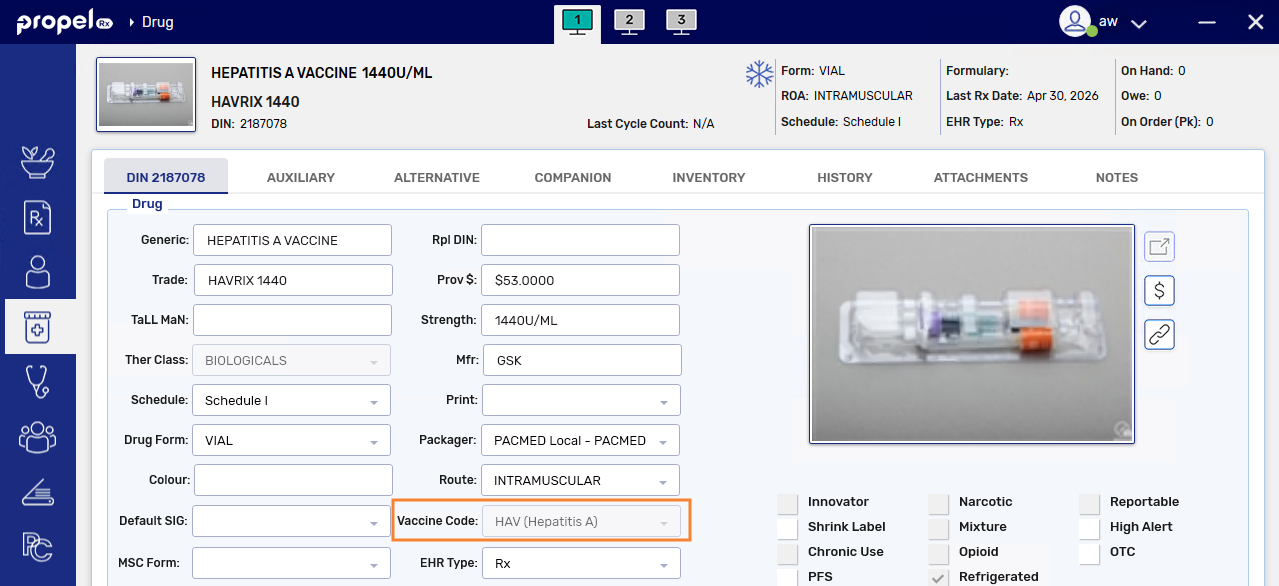
Each vaccine drug in Propel Rx that needs to be submitted to Imm/ARI is linked to a Vaccine Code in the Drug Folder.
-
Centrally maintained drugs are kept up to date automatically with the latest Imm/ARI vaccine list.
-
For free-form drugs, you can select the appropriate vaccine code if submission is required.
-
The vaccine code cannot be modified at the drug-level but it can be modified if needed when entering an immunization record.
Immunization Note Preference
-
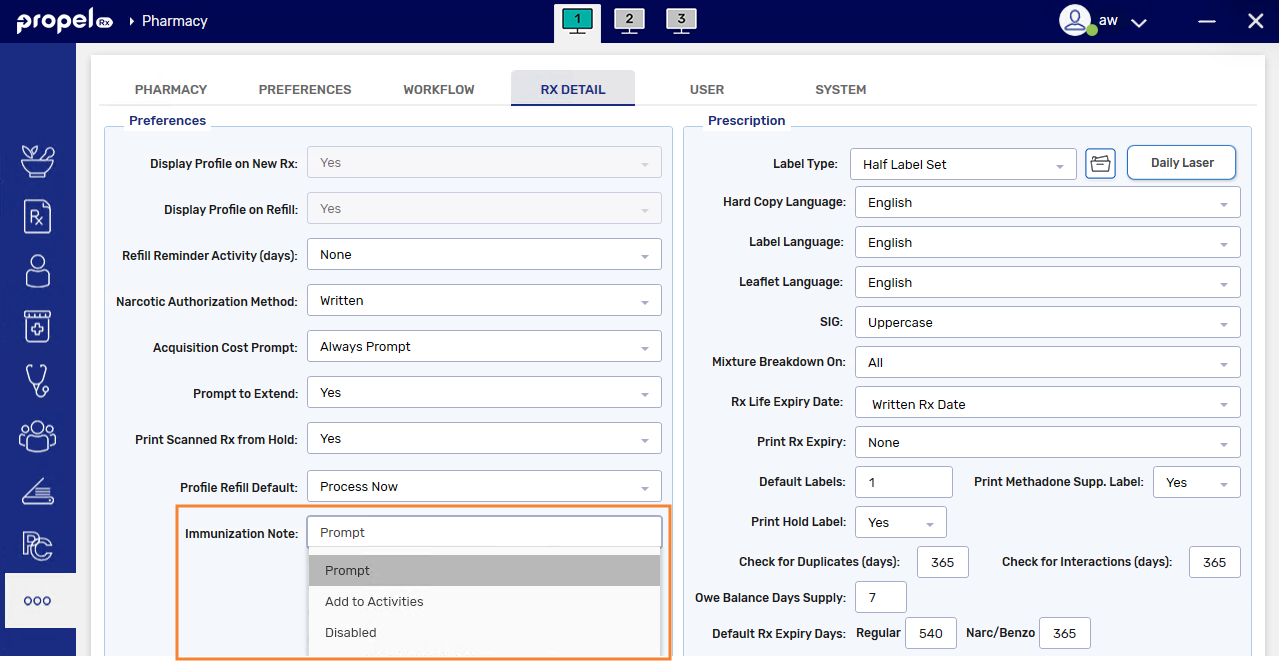
Propel Rx can remind you to record an immunization after filling a vaccine prescription.
-
With the new Immunization Note preference, after filling a vaccine prescription, you can choose to:
-
See the Immunization window,
-
Automatically create an Immunization Activity to complete later, or
-
Turn prompts and activities off and add immunizations manually in the Patient Folder.
These preference only applies to vaccines with a Vaccine Code entered in the Drug Folder.
-
Viewing Immunizations on Imm/ARI
-
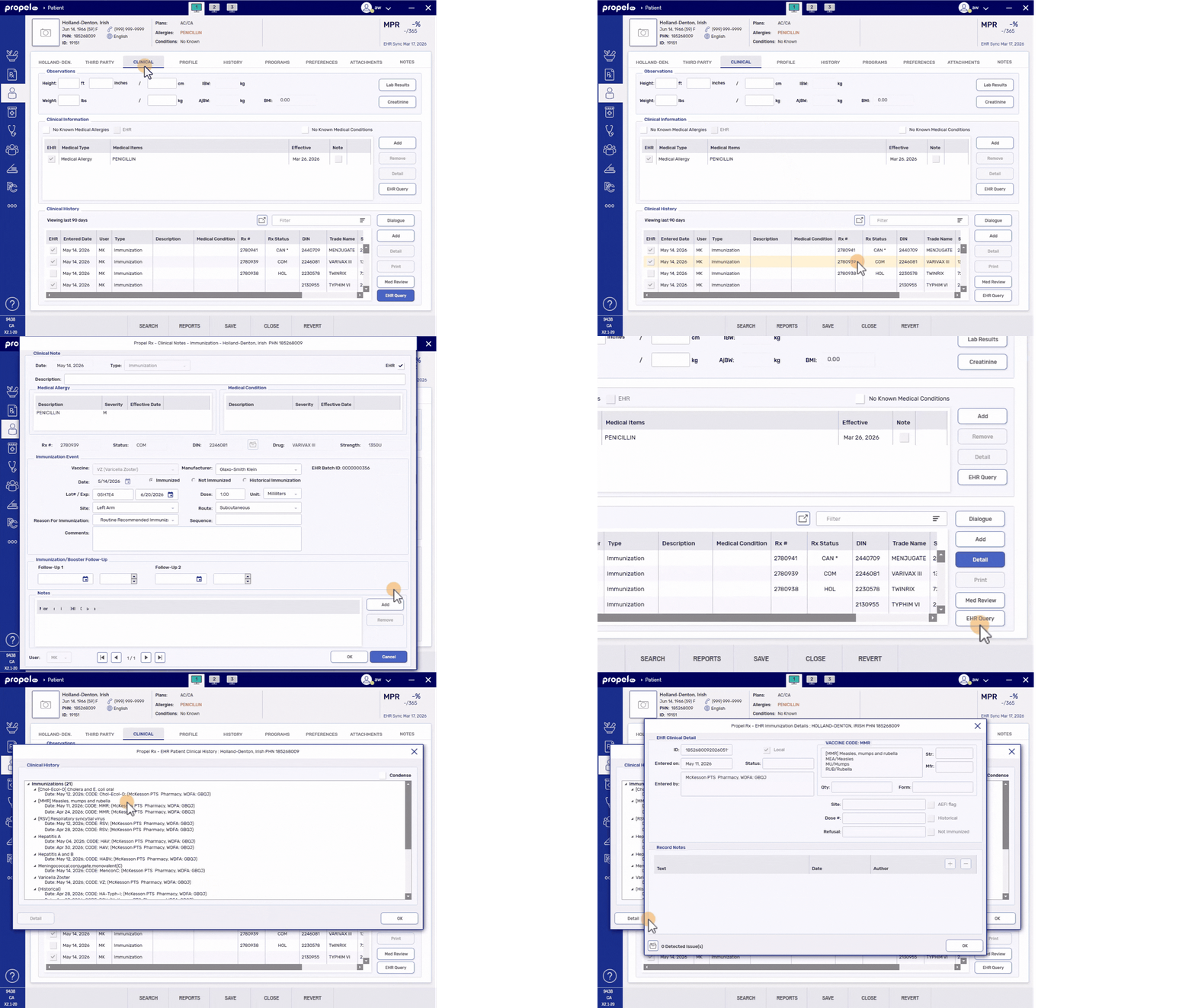
Immunizations sent by your pharmacy appear in the Patient Folder Clinical tab, under Clinical History. You can detail these records to review full immunization details.
-
An EHR Query lets you view immunizations recorded by other healthcare providers, giving you a more complete immunization history for a patient.
Recording Immunizations on Imm/ARI
-
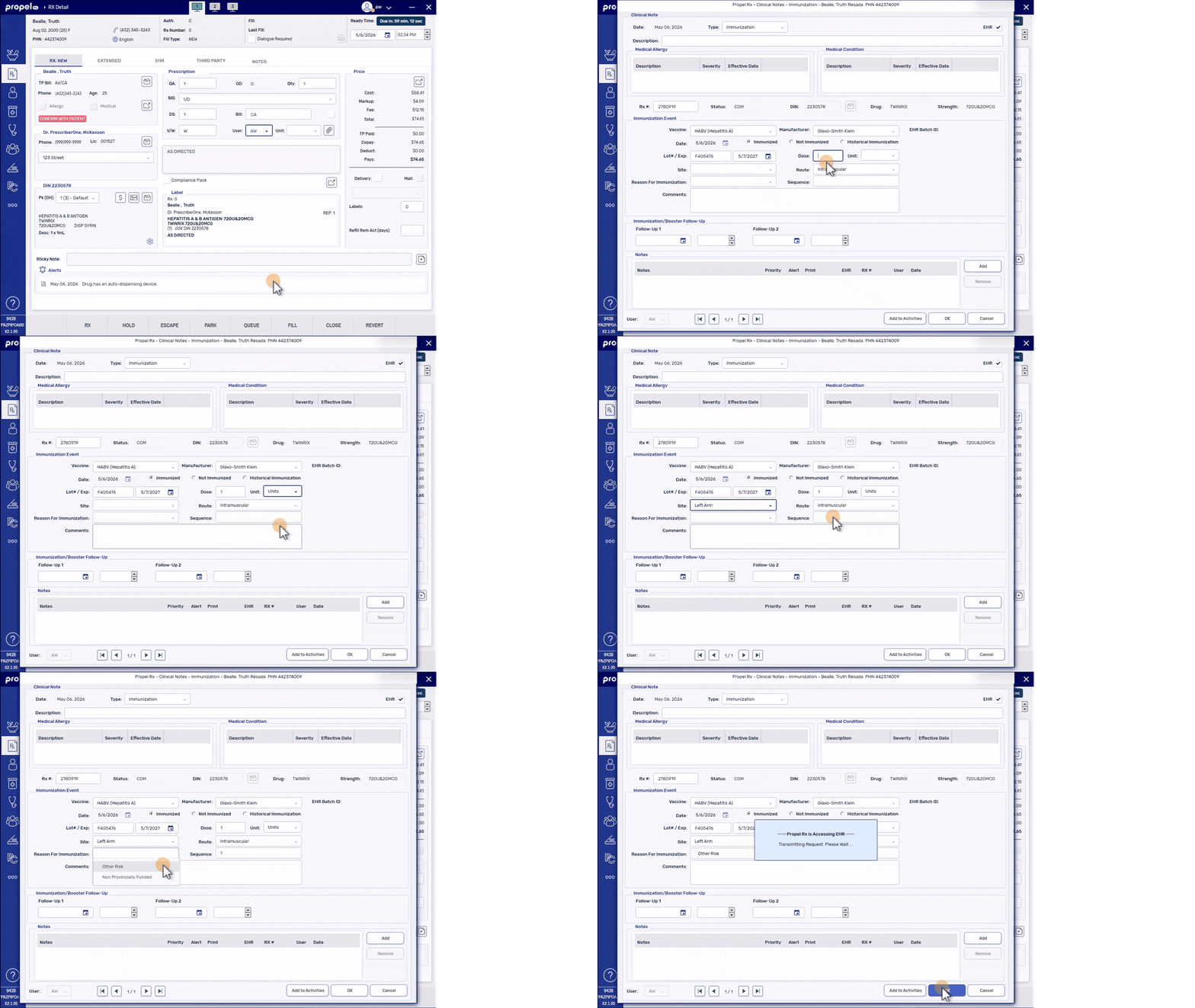
There are three types of immunization records you can submit directly from Propel Rx:
-
Immunized (vaccine administered)
-
Not Immunized (intent to immunize, but not given), or
-
Historical Immunization (previously administered elsewhere)
-
-
Many fields in the Immunization window are pre-filled from the prescription and Drug Folder to reduce manual entry.
-
Immunizations can be recorded from the Patient Folder, after filling a vaccine prescription, or from an Immunization Activity - depending on the Immunization Note preference.
Deferring Immunization Submission
-
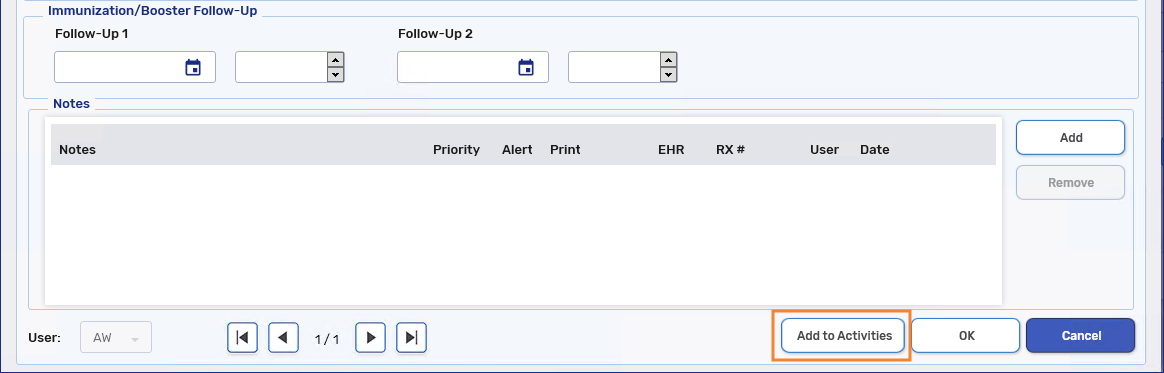
If you cannot complete an immunization record right away, you can add it to the Activities tile and finish it later.
-
Immunization records must be submitted to Imm/ARI within 7 days of vaccination.
Correcting and Removing Immunizations from Imm/ARI
-
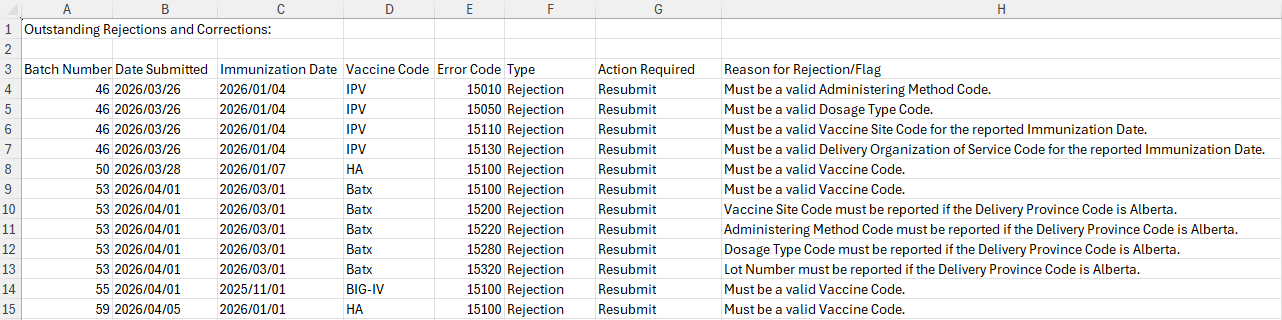
If a rejected immunization record appears on the weekly Imm/ARI Outstanding Rejections report, you can search for it by batch ID and correct the record in Propel Rx.
-
Edits in Propel Rx resend the updated information to Imm/ARI. Changes to the vaccine code require the record to be removed from Imm/ARI and a new record to be submitted.
-
Duplicate or incorrect immunizations can be removed from Imm/ARI by deselecting the EHR flag. This is only possible for Immunized and Not Immunized records. Historical immunizations on Imm/ARI can only be removed by contacting health.IMMARI@gov.ab.ca.
Sending Immunizations When the EHR Network Is Down
-
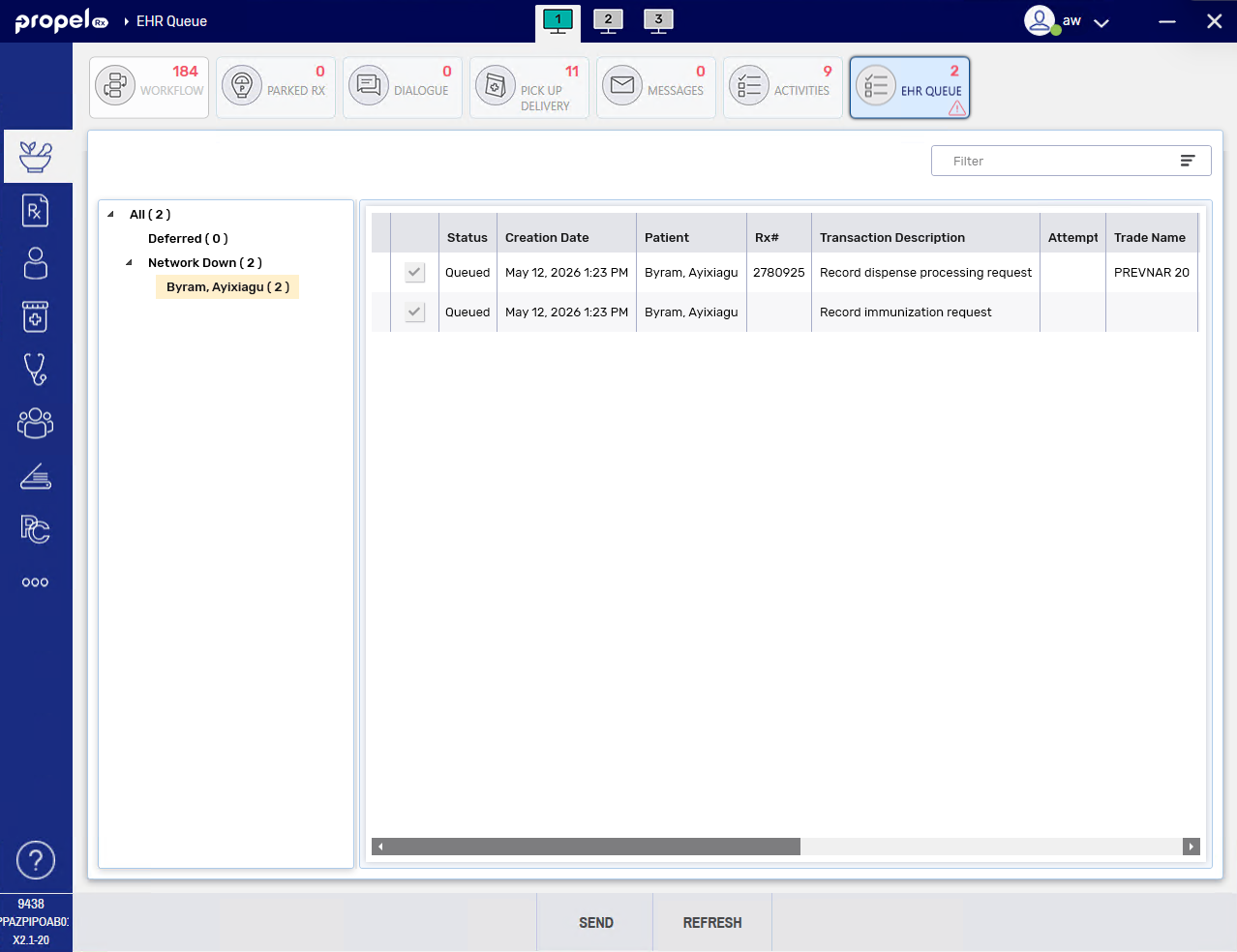
If the EHR Network is down, vaccine dispenses and immunization records are placed in the Network Down queue of the EHR Queue tile.
-
Immunization prompting and activities are created as per usual based on the Immunization Note preference.
-
Same as for other types of Network Down transactions, immunization records can be sent from the EHR Queue tile once the EHR Network is back up.
Limitations
-
Immunization records must be added one at a time.
-
In the future, Propel Rx will be enhanced to link prescription refusals and rebills to the immunization record. At the moment, if a vaccine prescription is refused or rebilled, you must perform any required updates to the immunization record manually. This may involve editing the immunization record or removing it from Imm/ARI and creating a new record. For more information, refer to the Correcting Vaccine Prescriptions section of the Alberta RTI User Guide.
-
Follow-up immunization activities do not auto-populate with details of the follow-up immunization since it has not occurred yet (e.g., Rx #, date, lot #, expiry date, etc). For a follow-up immunization, follow the same process as the first dose - fill the vaccine prescription, create the immunization record, and then delete the follow-up activity.